
📊 Introduction: Why Your Sales Team Needs a CRM That Actually Works
In 2026, small sales teams face a brutal reality. They’re expected to hit ambitious targets while juggling spreadsheets, email clients, dialers, and calendar apps. Leads fall through the cracks, follow-ups get missed, and revenue leaks out the door as a result.
Most CRMs make this problem worse. Enterprise compliance officers, not sales reps who need to close deals fast, are the primary audience for these tools. For instance, Salesforce is massive overkill for most small teams. Similarly, HubSpot gets expensive fast. Furthermore, Pipedrive forces you to add third-party dialers and SMS tools, creating a patchwork of disconnected systems .
Close, however, takes a different approach.
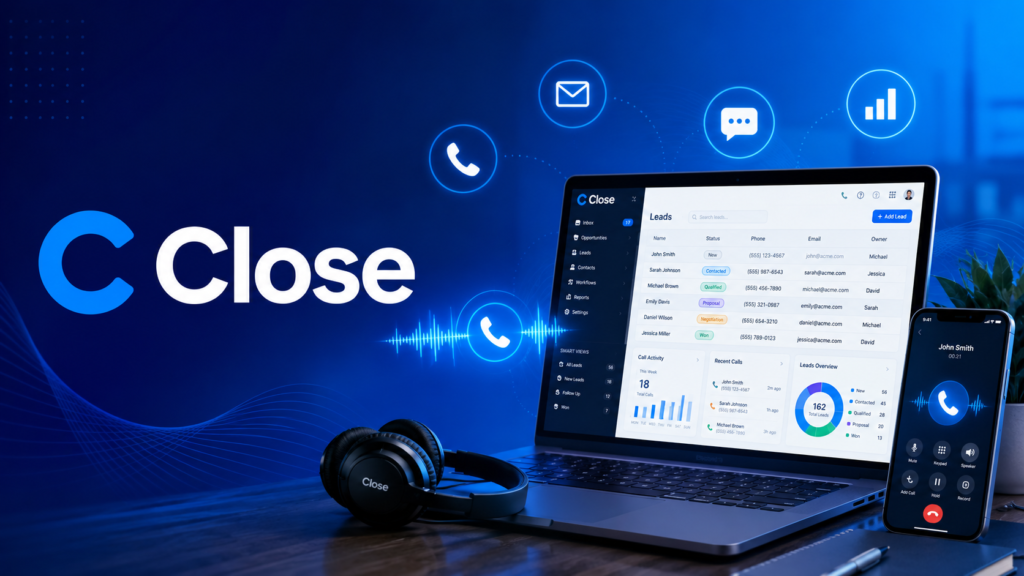
This sales CRM is built specifically for small to mid-sized outbound sales teams . It natively combines calling, email, and SMS into one workspace. Consequently, no integrations are required, and there’s no switching between tabs. Your reps won’t waste time hoping that your dialer syncs on time .
In this review, I’ll break down what Close does, how much it costs, who it’s for, and—most importantly—whether it’s the right fit for your business.
🎯 What Makes Close Different?
Native Calling, Email, and SMS in One Platform
Most CRMs share a common problem: your reps spend more time juggling tools than actually selling. Pipedrive users, for example, typically run two tabs simultaneously—Pipedrive on one, Aircall or Kixie on the other—hoping the integration syncs on time .
Close eliminates this friction entirely. When a rep opens a lead, the Power Dialer, SMS, email, and sequence are one click away. Furthermore, the call transcript, recording, and disposition write back to the same Lead automatically . That’s not just convenient; it’s a productivity game-changer.
Internal benchmarking shows that Close’s lead workspace loads and completes a full call/log/next-step workflow roughly 50% faster than the same workflow in Pipedrive plus a third-party dialer . Teams routinely report doubling connect rates when they collapse three tools into one.
The AI Layer: Chloe
Close includes Chloe, an AI sales teammate that’s generally available across the suite today . Chloe handles the after-call ritual that most reps dread: call summaries, transcripts, next-step recommendations, and follow-up drafts all generate automatically .
This represents the single highest-ROI change in sales CRM in 2026. For a solar closer sitting in a truck between appointments, Chloe handles the administrative work while they drive to the next site . Similarly, for a B2B sales team, Chloe drafts follow-ups based on the actual call transcript, ensuring nothing gets lost.
Chloe includes:
- Chloe Voice: an outbound voice agent that dials, qualifies, and books directly from your CRM
- Chloe Chat: a natural-language interface for your pipeline
- Notetaker: automatic call summaries and transcripts
- Pipeline Suggestions: AI-driven deal recommendations
- AI Enrichment: automated lead data enhancement
All Chloe features come included on all plans, with usage-based pricing .
Simple Pricing That Doesn’t Repackage You
Close keeps pricing straightforward. Four tiers, all per-seat :
| Plan | Price (Annual) | Best For |
|---|---|---|
| Solo | $9/seat/month | Single user, solo founders |
| Essentials | $35/seat/month | Small teams needing calling + SMS |
| Growth | $99/seat/month | Teams needing automation + AI |
| Scale | $139/seat/month | Advanced permissions + predictive dialing |
No contracts are required for any plan. Calling costs extra per minute (via Twilio pricing), and SMS costs extra per message. Workflows are only on Growth and Scale plans. There’s no free plan beyond the 14-day trial .
Here’s the critical difference: Close doesn’t repackage you mid-contract. The features you sign up for stay available . For high-volume outbound teams, the all-in cost is often cheaper than Pipedrive plus a third-party dialer plus an SMS tool .
Real Support, Answered by Humans
Close support is free on every plan, answered by an in-house team across time zones. The average resolution time stays under two hours for typical inbound tickets. It’s the most consistently praised category in their G2 reviews, winning 70 out of 73 head-to-head review categories against Pipedrive .
🔍 Who Is Close For?
Perfect Fit: Outbound Sales Teams
Close is almost always the right answer for phone-and-follow-up-heavy teams . If your team spends more than 30% of its day on the phone, Close is built for you .
Specific use cases include:
- SaaS startups making high-volume outbound calls
- B2B agencies with 3-15 reps running 1-3 month sales cycles
- Solar sales teams needing native calling and mobile workflows
- Real estate teams juggling calls, texts, and follow-ups
The rule we don’t break: if you run GHL to deliver client work, do not also try to run your own agency’s new-business pipeline inside the same platform .
When to Consider Other Options
Close is not for everyone. If your team isn’t making calls at all, the Close advantage evaporates . If you need marketing automation, post-sale customer success functionality, or complex CRM objects, you might outgrow Close .
Teams that outgrow Close typically migrate to HubSpot, Salesforce, or a broader platform . However, for 1-25 reps focused on outbound sales, Close is hard to beat.
💰 Cost Breakdown: Sticker Price vs. All-In Cost
The sticker prices are misleading in both directions . Here’s what a 10-rep outbound team actually costs:
| Tool | Annual Cost Per Seat | What’s Included |
|---|---|---|
| Pipedrive Advanced + Aircall + LeadBooster | ~$62/month | CRM + dialer + SMS, multiple invoices |
| Close Growth | $99/month | CRM + native dialer + SMS + Chloe + workflows |
For a solo founder on Essentials with no outbound calling, Pipedrive might win on price . However, the moment your team dials, texts, or forecasts, the stack math flips .
📱 Mobile App & Field Sales
Close offers a mobile app for iOS and Android. This lets you manage the CRM, make and receive calls and SMS, and check reports from anywhere . For solar sales teams, this is essential—closers in the field need to log calls and send follow-ups while driving between appointments, not when they get back to the office .
⚡ Real-World Testimonials
“We were able to easily import all the old leads from Pipedrive to Close. All of our sales reps were very happy with Close just after a couple of weeks.” — Close Customer
“I have used HubSpot, Pipedrive, Google Sheets, Airtable, and more as a CRM, but Close is simply awesome. If I had questions, the support was amazingly fast in their replies, and that is all I need.” — Patrick Breitenstein, Co-Founder and CEO, RisePartner
“When it comes to a CRM that helps you manage the sales cycle as a small or medium-sized business, I’ve not encountered a better system out there.” — Travis, CEO
🎯 Final Verdict: Should You Try Close?
Close is a specialized tool for a specific job: helping small to mid-sized outbound sales teams convert more leads into customers. It’s not trying to be everything to everyone—and that’s exactly why it works so well.
Try Close if:
- Your team spends significant time on outbound calls and follow-ups
- You’re tired of juggling separate dialer, SMS, and CRM tools
- You want AI to handle after-call administrative work
- You’re a small team (1-25 reps) focused on sales execution
Pass on Close if:
- You need marketing automation, post-sale customer success, or complex CRM objects
- Your team doesn’t make outbound calls
- You’re building a multi-tenant agency reselling SaaS to clients
Ready to give Close a try?
Start a free 14-day trial (no credit card required) and experience the difference of a sales CRM built for actual sales work:
👉 Try Close for Free
Want to discover more AI tools for your business?
Check out all our in-depth reviews, comparisons, and tutorials on the AI Shortcut LAB Blog. Stay ahead in 2026 with the best AI tools!
AI Shortcut LAB – Your Shortcut to the Best AI Tools.